Version 0.4.6 · free while it is in preview

Sketch the pattern.
Hear the song.

Veslate is a digital audio station built around patterns. Put a groove together on a 16-step grid, drop it into the arrangement as many times as the song wants, and mix the whole thing without leaving the keyboard.

Windows 10 and 11, and x86_64 Linux. No account, no telemetry.

The Veslate pattern editor: a list of patterns on the left and four instrument rows with volume, pan, mute, solo and a sixteen-step grid.
The pattern editor. Each instrument keeps its own level, pan, mute and solo, and the pager under the header walks through a pattern that runs longer than a bar.
Patterns firstWrite once, place anywhere
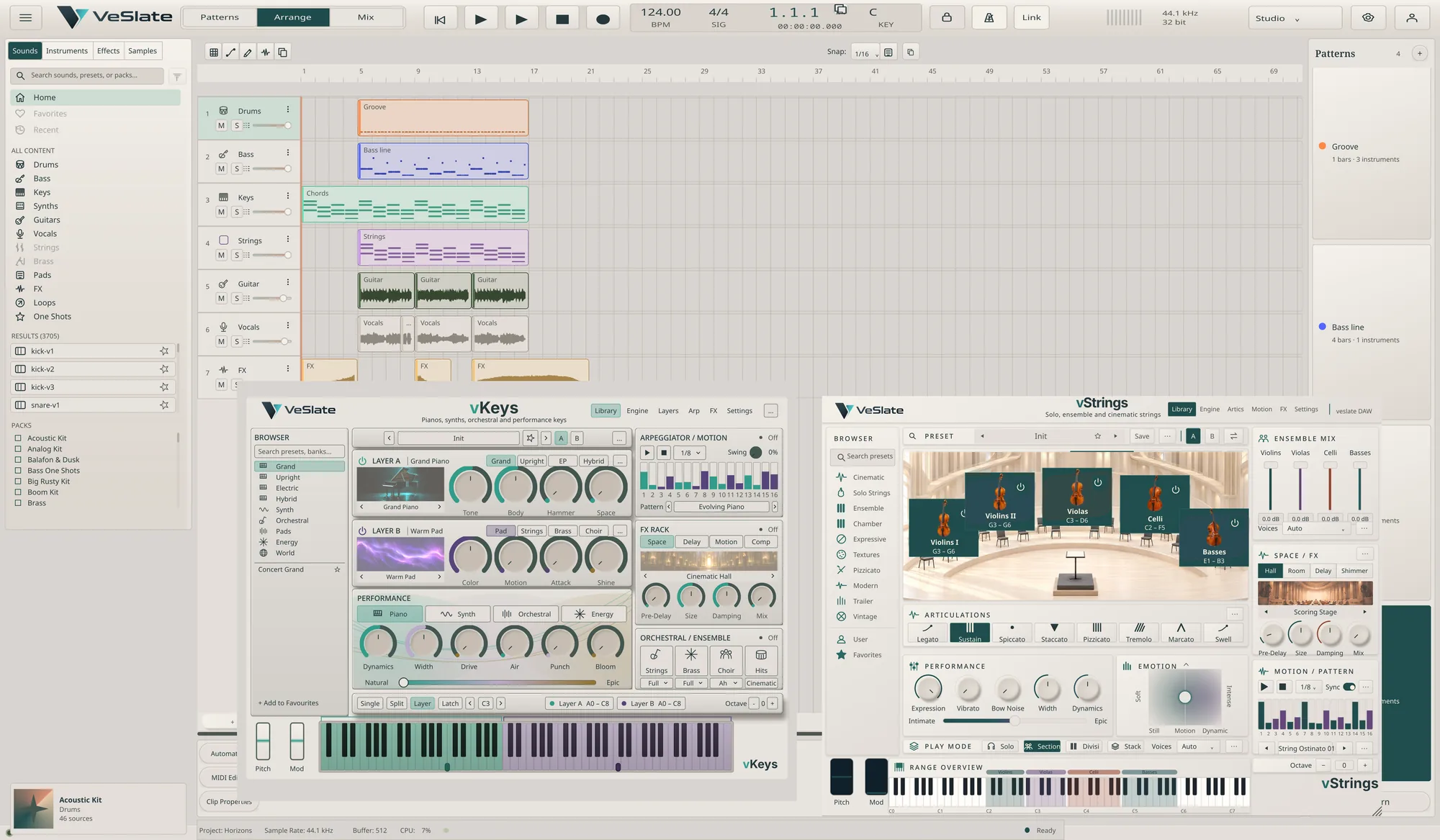
Plugins includedThree, and it hosts yours
Sounds includedThree drum kits, 45 samples
Open project fileReadable JSON in a zip

A groove is a thing you can hold.

Most stations ask you to draw the same hi-hat line into every chorus. Veslate keeps the groove as one object. Change it once and every placement follows.

  • Step grid and piano roll together. Tap sixteenths for drums, open the roll for anything that needs pitch.
  • Per-instrument mix controls. Level, pan, mute and solo sit on the row, so balancing a kit never means changing view.
  • Grow past four bars. Add a bar and the pager gains a page; the grid stays readable instead of shrinking.
  • Drag velocity, drag height. Pull a step up for accent, pull the row edge down when a track needs more space.
The pattern list beside four instrument rows, each with a level knob, a pan knob, mute and solo, and step pads.

Then lay the song out.

Patterns become clips on a timeline. Stretch one to repeat, drop a variation in for two bars, and give any lane the height it needs. The playhead follows what you can hear.

The Veslate arrangement view: five track lanes carrying pattern clips across sixteen bars.

Everything a session actually needs.

A mixer that stays out of the way

Buses, inserts, aux sends and delay compensation, with the strip you are working on opened up beside the rack.

Your plugins, hosted safely

VST3 on both platforms and LV2 on Linux. Scanning runs in its own process, so a plugin that crashes takes nothing with it.

Record what you play

Capture MIDI straight into a pattern while it loops, then tidy the take in the piano roll instead of starting again.

Export when it is done

Bounce a pattern or the whole arrangement to WAV or MP3, or send the session to another station as a DAWproject file.

It saves while you work

Autosave runs in the background and a recovered session is offered back after a crash or a power cut.

Light and dark

Two themes, switched from Settings and applied straight away. No restart, no half-repainted panels.

Midnight Drive.omp → project.jsonzip
{
  "format": "omp",
  "formatVersion": "1.3.0",
  "timebase": { "ppq": 960, "key": "F#m" },
  "patterns": {
    "pat-drums": {
      "name": "Night Drums",
      "length": 15360,
      "parts": [ { "channel": "ch-kick", ... } ]
    }
  }
}

Your song is not locked in a blob.

A Veslate project is an .omp file: a zip holding readable JSON, the audio you used, and nothing else. Rename it to .zip and look inside.

  • Diff two versions in git and read what changed.
  • Generate patterns from a script and open the result.
  • Samples travel inside the project, so nothing goes missing on another machine.

One line on Linux.

Downloads the current build, checks it, and puts Veslate in your launcher. Everything lands under your home directory; nothing asks for root.

$ curl -fsSL https://veslate.com/install.sh | bash

On Windows, the installer sets up the Start Menu entry and the .omp file association.